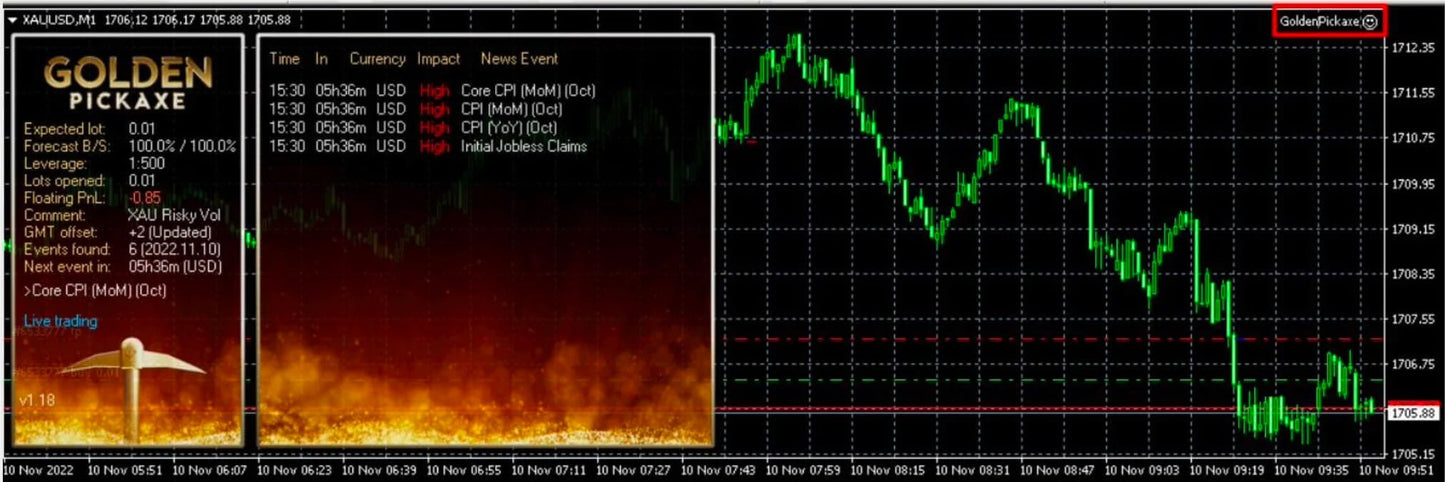
Golden Pickaxe Gold EA for MetaTrader 4
Golden Pickaxe Gold EA for MetaTrader 4
4.67 / 5.0
(82) 82 total reviews
Couldn't load pickup availability
DEDICATED GOLD / XAUUSD AUTOMATION • MT4
Golden Pickaxe Gold EA for MetaTrader 4
A focused MT4 option for traders whose primary market is Gold/XAUUSD and who want rules-based automation instead of a generic multi-pair robot.
★ Customer rated 4.67/5 from 82 reviews on PMotive. Read the live Judge.me feedback on this product page for the latest customer experiences.
Platform: MetaTrader 4 • Market: Gold / XAUUSD • Delivery: Digital • Support: PMotive setup guidance
Why traders choose Golden Pickaxe Gold EA for MetaTrader 4
- Dedicated Gold/XAUUSD focus
- Rules-based MT4 automation
- Risk-management controls
- Desktop/VPS operation
- Mobile account monitoring
How it works
Uses Gold-focused automated execution within the supplied MT4 configuration. Broker symbol, contract size, spread and lot settings should be checked before live use.
The EA runs inside the compatible desktop MetaTrader terminal. You can monitor the same trading account from iPhone, iPad or Android, but the EA itself must keep running on a compatible Windows computer or VPS.
Who this EA is built for
- Gold traders using MetaTrader 4
- Users wanting a specialist XAUUSD EA
- Traders prepared to test their exact broker Gold symbol
When this may not be the right EA
- You require MT5
- Gold is not your primary market
- You expect identical execution across brokers
What you receive
- Golden Pickaxe Gold EA digital files
- Supplied setup guidance and supporting files
- PMotive product support
Set up in 3 steps
- Install: Add the supplied EA files to the correct MetaTrader desktop terminal.
- Configure: Load the supplied setup and confirm the exact broker symbol, account type, lot size and risk settings.
- Validate: Demo-test the same broker, symbol and settings before considering live deployment.
Broker and VPS compatibility checklist
- Confirm your broker supports MetaTrader 4, Expert Advisors and the exact market/symbol required.
- Check contract size, minimum lot, lot step, spread, commission, stop levels and trading hours where applicable.
- Do not assume another trader’s lot size or settings are suitable for your balance or broker.
- For continuous automation, keep MetaTrader running on a stable Windows computer or VPS.
Optional VPS: Run MetaTrader 24/7 with MassiveGrid VPS → (affiliate)
Customer proof
PMotive currently displays a 4.67/5 rating from 82 customer reviews for this product. Use the live Judge.me review section on this page to read the current feedback before buying.
Frequently asked questions
Can I run it directly on my phone?
No. The EA runs in the compatible desktop MetaTrader terminal. Your phone can monitor the connected account.
Do I need a VPS?
Not always, but a Windows VPS is useful when you want the EA and MetaTrader to remain online continuously without relying on your personal computer.
Should I test it first?
Yes. Test the exact broker, symbol, account type and settings on demo before considering live funds.
Does this EA guarantee profit?
No. Automated trading can make execution more systematic, but it cannot remove market risk or guarantee future results.
Ready to automate your setup?
Get Golden Pickaxe Gold EA for MetaTrader 4 and build a disciplined, always-on trading workflow around the market you actually trade.
Risk notice: Automated trading involves substantial financial risk. Results vary with settings, broker execution and market conditions. Backtests, demonstrations, reviews and historical examples do not guarantee future performance. Only trade with capital you can afford to lose.